
Moniqa 2.0 · Completely redesigned
Know what's left
to spend.
The calm, private budget app for iPhone. Log an expense in seconds, scan receipts, and stay on top of the month without linking a bank or making an account.
Free to download · Moniqa Pro available
No account
Start in seconds
No bank linking
You stay in control
No ads, no tracking
Data Not Collected
On your iPhone
Works offline
Know where you stand
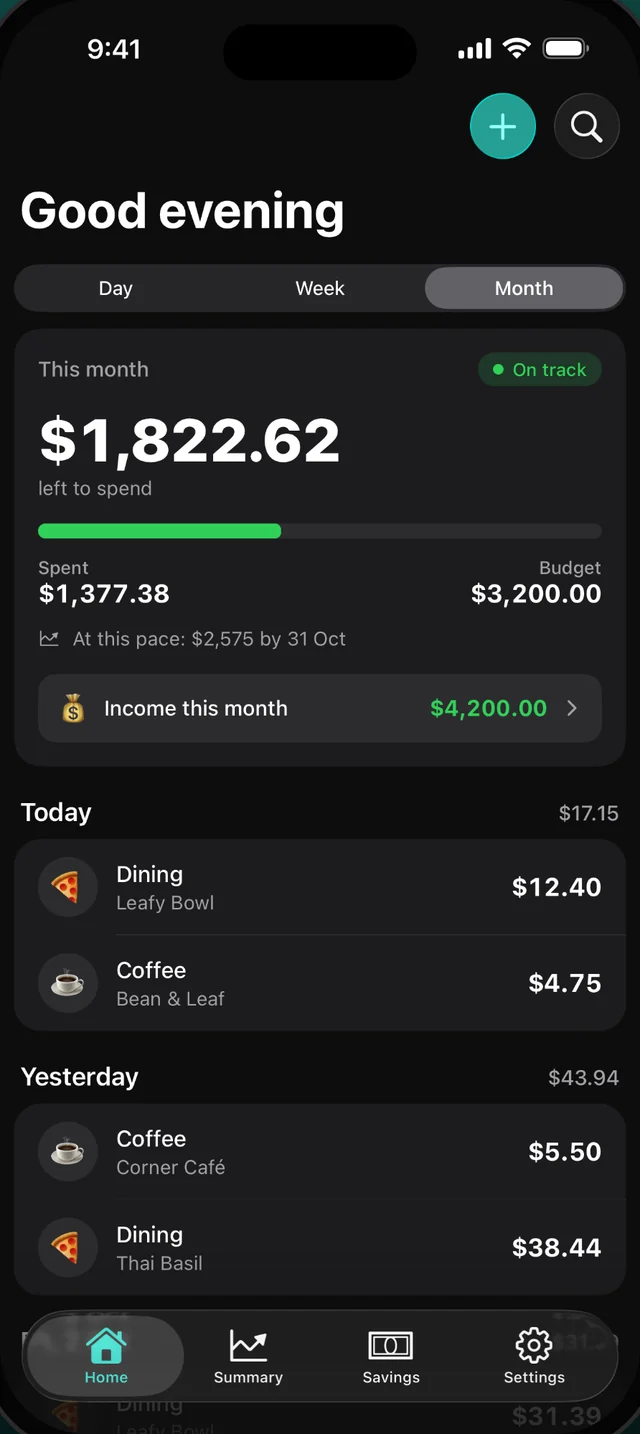
What's left to spend, at a glance
Open Moniqa and see what's left for today, this week or this month. Rent and other big bills are kept out of your daily budget, so the number stays honest.
- Day, week and month views
- Budget alerts at 80% and 100%
- Income and savings alongside spending
Receipt scanning
Snap a receipt. Done.
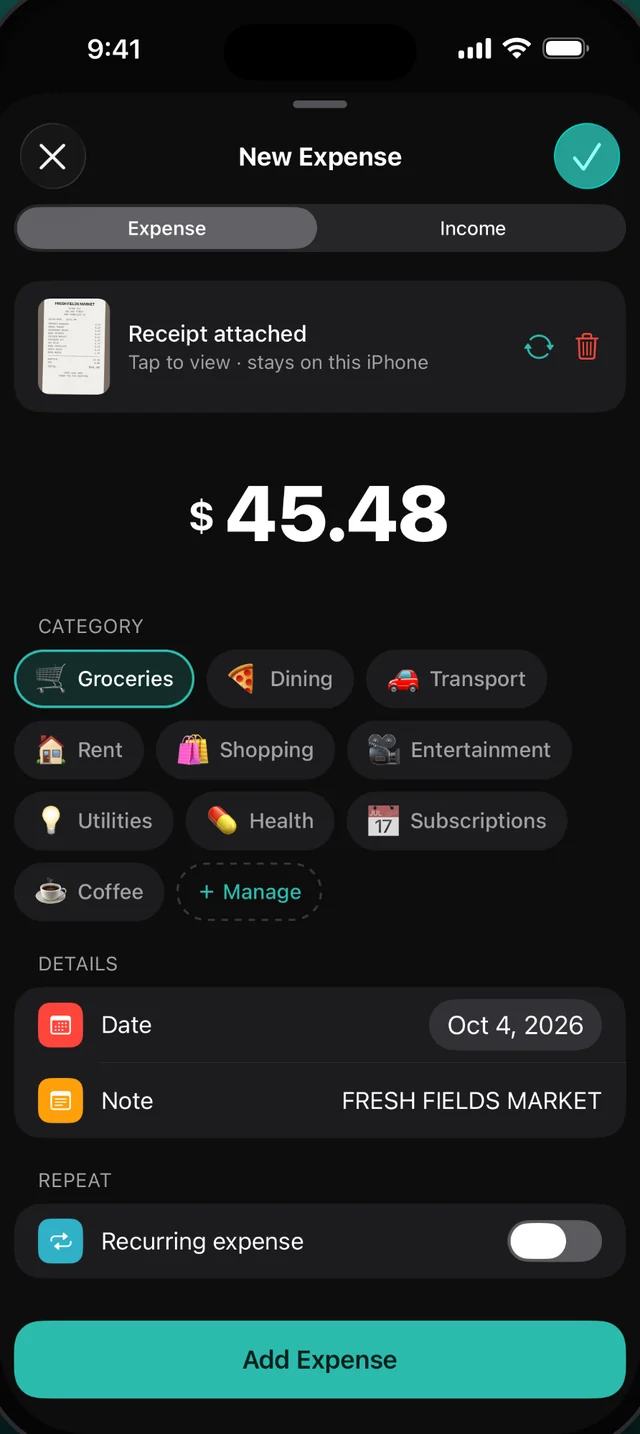
Point your camera at a receipt, or pick a photo, and Moniqa fills in the amount, store, date and category. It's read on your iPhone and never uploaded.
- Works from the camera or Photos
- Learns the category you pick for each store
- The receipt photo stays with the expense
Widgets
Your budget, always in view
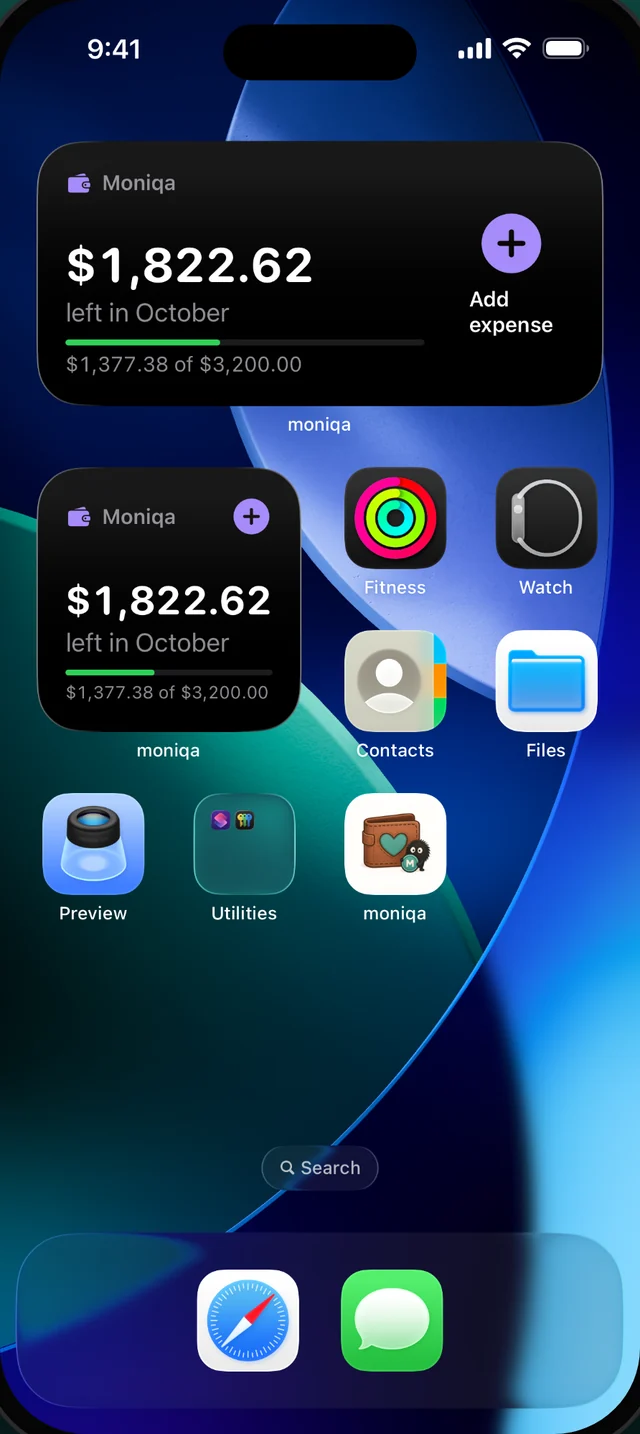
Home Screen and Lock Screen widgets show what's left this month. Tap the plus to log an expense without hunting for the app.
- Small and medium sizes
- Lock Screen widgets
- One-tap add
Siri & Shortcuts
Just ask
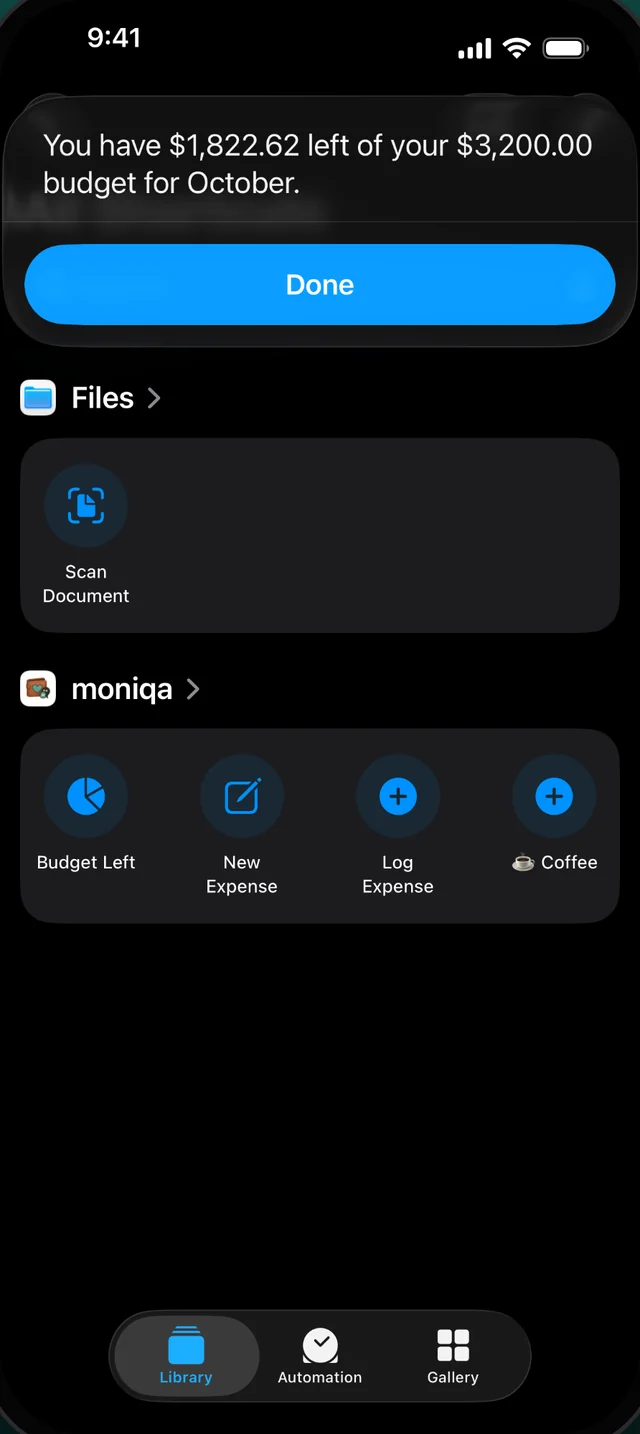
Say “Log Coffee in Moniqa” or “How much is left in Moniqa?” and you're done. Shortcuts and the Action Button work too.
- Log expenses hands-free
- Ask how much budget is left
- Build your own Shortcuts
The bigger picture
See where your money goes
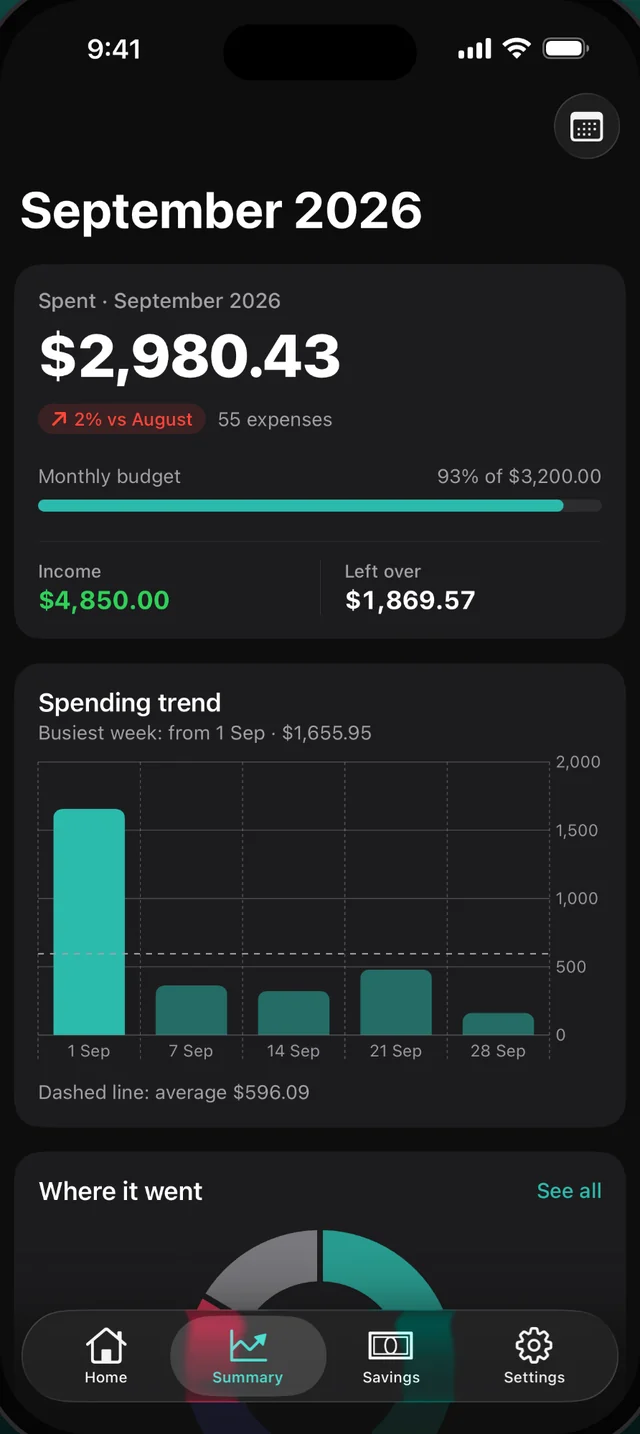
Charts by category and over time, a month-end forecast that tells you where you're heading before the month is over, and recurring rent, salary and subscriptions added for you.
- Month-end forecast
- Spending trends and categories
- Money health score and insights
Savings goals
Save for what matters
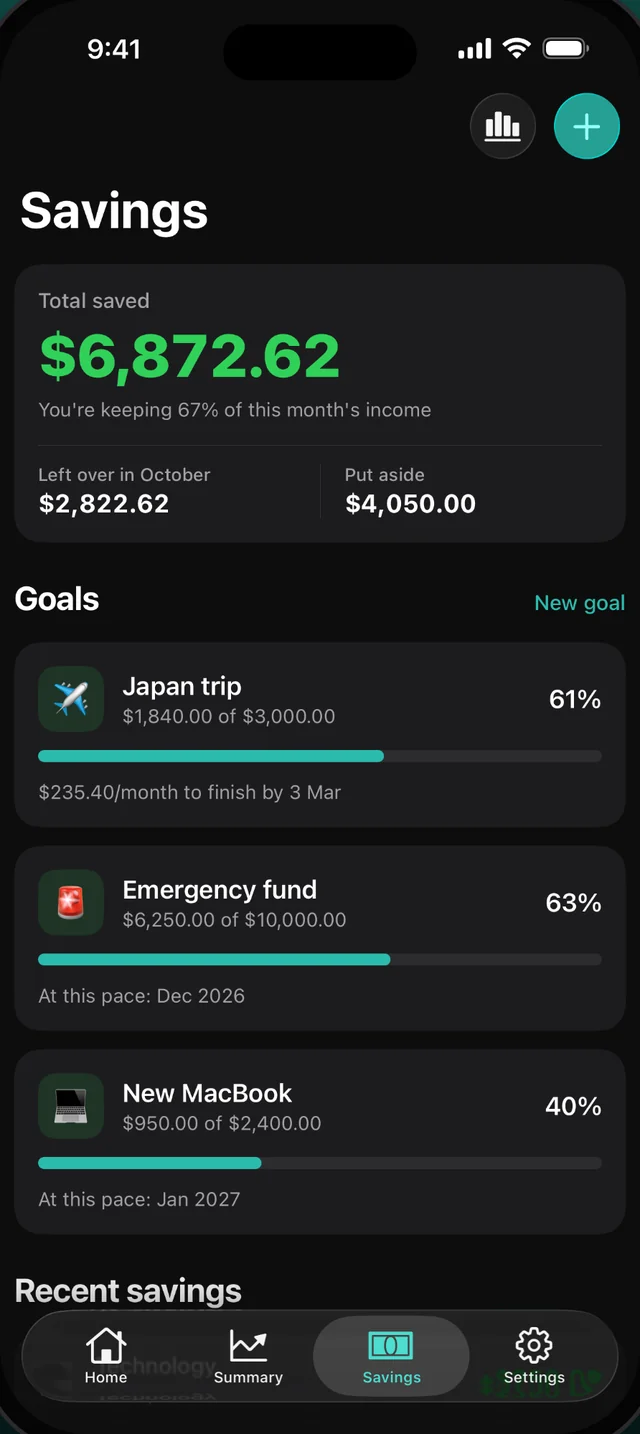
Set goals for a trip, an emergency fund or something new. Moniqa shows how much to put aside each month and when you'll get there at your current pace.
- Multiple goals
- Monthly target to finish on time
- Pace forecasts
Private by design
Your money is nobody else's business.
Moniqa doesn't have servers to send your data to. No accounts, no bank links, no analytics, no ads. Lock it with Face ID, and back it up to your own iCloud Drive or Files when you want to.
Read the privacy policy →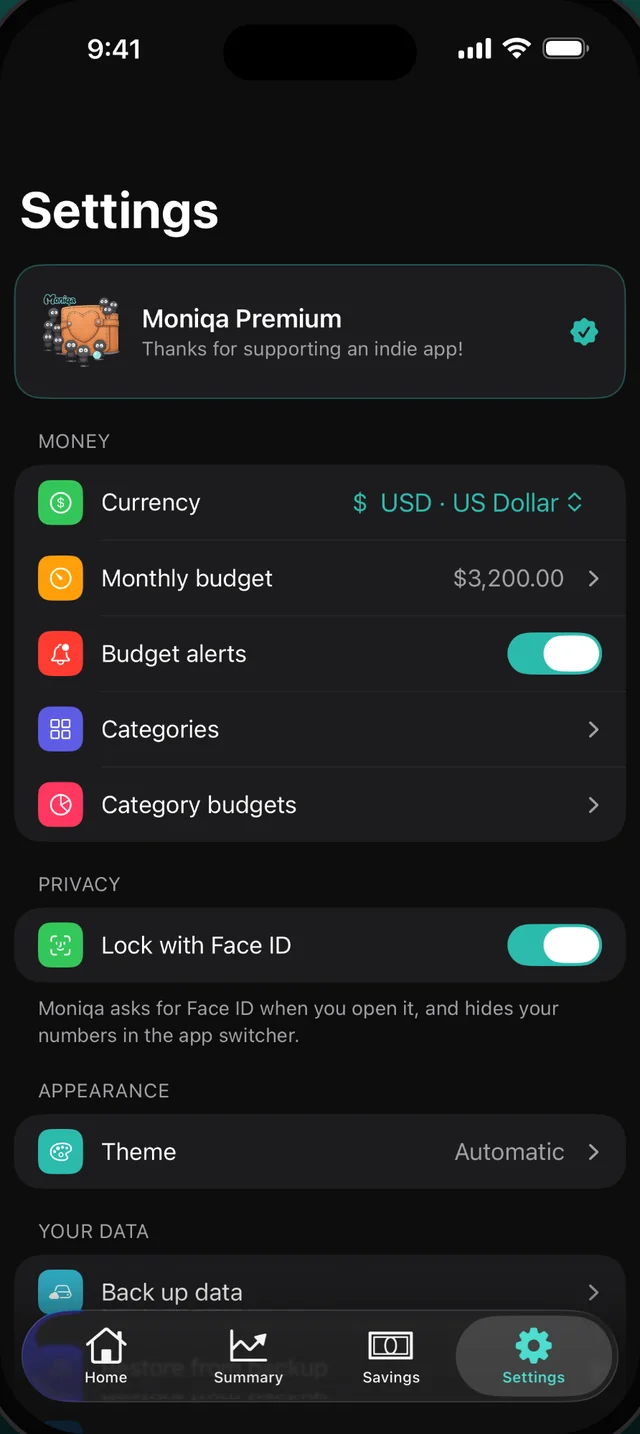
And the little things
Everything else you'd expect
Face ID lock
Lock the app and hide your numbers in the app switcher.
Backup & restore
Save a backup to Files or iCloud Drive and restore whenever you like.
CSV export
Take all your data to a spreadsheet.
Your categories
Make your own categories with any emoji.
Any currency
Your currency, with dates the way your region writes them.
Light & dark
Themes built for iOS 26, including Automatic.
Pricing
Free to use. Pro when you want more.
The essentials are free forever. Moniqa Pro is monthly or yearly with a free trial, or a one-time purchase for life.
Moniqa
Free
- –Expenses, income and a monthly budget
- –Home & Lock Screen widgets
- –Siri & Shortcuts
- –Savings goals
- –Budget alerts
- –Face ID lock, backup & restore
Moniqa Pro
Free trialMonthly, yearly or lifetime
- ✓Receipt scanning
- ✓Month-end forecast
- ✓Recurring transactions
- ✓Category budgets
- ✓Insights & money health score
- ✓Premium themes
- ✓CSV export
Already bought Pro before 2.0? You keep everything.
Do I need an account?+
No. There's no sign-up and no bank linking. Open the app, pick a currency and a budget, and start.
Where is my data stored?+
Only on your iPhone. Moniqa has no servers and no analytics. If you want a copy, make a backup to Files or iCloud Drive yourself.
Is receipt scanning private?+
Yes. The text is read on your device with Apple's Vision framework. The photo is never uploaded anywhere.
What's in Moniqa Pro?+
Receipt scanning, the month-end forecast, recurring transactions, category budgets, insights, premium themes and CSV export. Pay monthly or yearly, with a free trial, or once for life. If you bought Pro before 2.0, you keep everything.
Is there an Android version?+
Moniqa 2.0 is iPhone-only. The earlier version is still on Google Play, but it doesn't have the 2.0 features.
Take control of your month.
Download Moniqa and know exactly what's left to spend.